 Family Photo Maker
Combine Individual Photos
AI Family Portrait from Individual Photos
Create beautiful family portraits without getting everyone in the same room. Upload separate selfies from each family member—taken anywhere, anytime—and our AI brings everyone together in one unified, professional-quality portrait.
Perfect For Families Who...
- ✓Live in different cities, states, or countries
- ✓Can't coordinate schedules for a group photo
- ✓Want to include someone who missed the gathering
- ✓Need holiday cards with scattered family members
- ✓Want a grandparent gift with all grandchildren
- ✓Are commemorating milestones across distances
See What Individual Photos Become
Each of these portraits was created from separate selfies
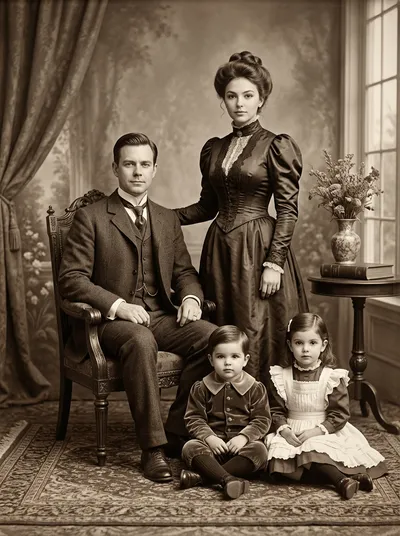


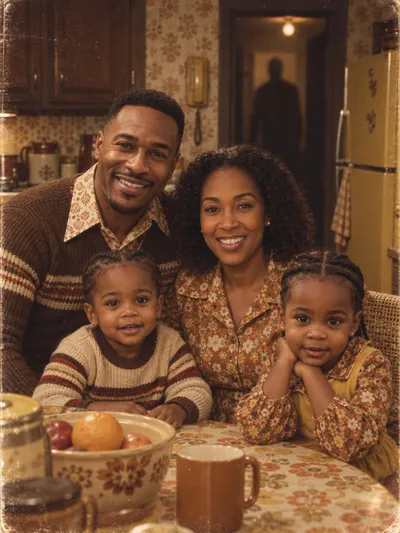

From Separate to Together
How individual photos become one portrait
Each Person Takes a Selfie
Clear, front-facing photos with good lighting. Any time, any place.
Upload Individual Photos
Up to 14 people plus pets. JPEG, PNG, or HEIC.
Choose Your Style
Traditional, holiday, creative—350+ options.
AI Combines Everyone
Download your unified family portrait in ~30 seconds.
About Individual Photo Quality
The better your input photos, the better your portrait
Good Individual Photos
- ✓Front-facing, looking at camera
- ✓Even, natural lighting
- ✓Face fully visible
- ✓Sharp, clear image
Photos to Avoid
- ✗Extreme angles or side profiles
- ✗Heavy shadows on face
- ✗Sunglasses or face obscured
- ✗Blurry or very low resolution
Individual Photos FAQ
Can I create a family portrait from individual photos taken at different times?
Yes. Each family member can take their selfie at any time and place. The AI combines them into one cohesive portrait regardless of when or where the original photos were taken.
Do the individual photos need to have matching backgrounds?
No. The AI extracts each person from their photo and places them into your chosen portrait style. The original backgrounds are completely replaced.
How many individual photos can be combined into one portrait?
Family Photo Maker supports up to 14 individual photos in a single portrait, including pets.
What kind of individual photos work best?
Clear, front-facing selfies with good lighting work best. Each person should be looking at the camera with their face fully visible. No sunglasses or heavy shadows.
Will it look natural if the individual photos are different qualities?
The AI does its best to harmonize different photo qualities, but results are optimal when all individual photos are similarly clear and well-lit. One very low-quality photo among high-quality ones may affect the final result.
Related Pages
Bring Your Family Together
Upload individual photos and see everyone together in one beautiful portrait.
Start Combining Photos →