 Family Photo Maker
Long-Distance Families
Family Portraits for Families Who Live Apart
Kids at college, grandparents across the country, siblings abroad—modern families are scattered. Family Photo Maker creates unified portraits from separate selfies, no matter where each person is located.
Built for Families Like Yours
- ✓Kids away at college or living in different cities
- ✓Grandparents who can't travel for gatherings
- ✓Siblings scattered across states or countries
- ✓Military families with deployed members
- ✓Blended families with members in multiple households
- ✓Extended family who haven't been in the same room in years
How It Works for Long-Distance Families
A practical workflow when family is scattered
Send Photo Requests
Message each family member asking for a clear, front-facing selfie. Include simple tips: good lighting, face visible, no sunglasses.
Collect Selfies
Use a shared album or group chat to gather photos. Set a deadline so stragglers don't delay the portrait.
Upload Everyone
Upload all selfies to Family Photo Maker (up to 14 people, pets included). Order doesn't matter.
Choose Your Style
Browse 350+ styles: holiday themes, traditional portraits, creative options. Pick what fits your occasion.
Generate & Share
Get your unified portrait in ~30 seconds. Download, print, or share with the whole scattered family.
Tips for Collecting Photos from Far Away
Practical advice from families who've done this
Give Clear Instructions
Most people aren't photographers. Send a quick example of what works: front-facing, near a window, face visible.
Set a Deadline
Someone will procrastinate. Give a specific date: "Need photos by Friday so we can order cards by Sunday."
Use a Shared Album
Google Photos, iCloud, or a group chat works well. Everyone uploads to one place instead of texting you individually.
Remind Gently
That one family member who always forgets? A friendly nudge works better than nagging. "Hey, still need your selfie!"
Include Pets Too
Upload a clear photo of family pets. They're part of the family and count toward the 14-person limit.
Check Photo Quality
Review photos before uploading. If one is blurry or dark, it's worth asking for a retake.
Special Situations
Including Someone Who Passed Away
Many families create memorial portraits or include beloved family members who are no longer with us. Upload a clear, well-lit photo—it works just like any other selfie.
Someone Who Missed the Gathering
Had a reunion but one person couldn't make it? Take a selfie from them later and create a portrait where they appear with everyone else. The AI doesn't know they weren't there.
Multiple Generations
Great-grandparents to newborns—all can be in one portrait. Older family members often need a little help taking their selfie. Video call them and screenshot, or have someone with them take the photo.
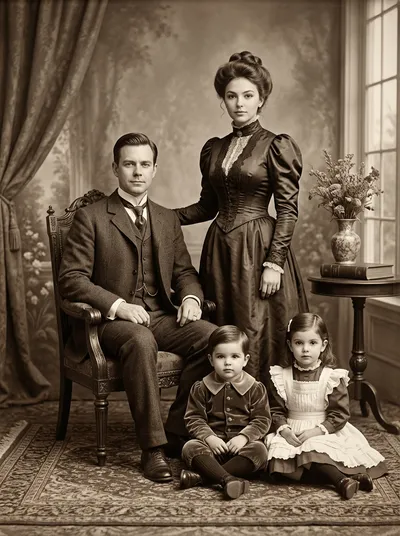
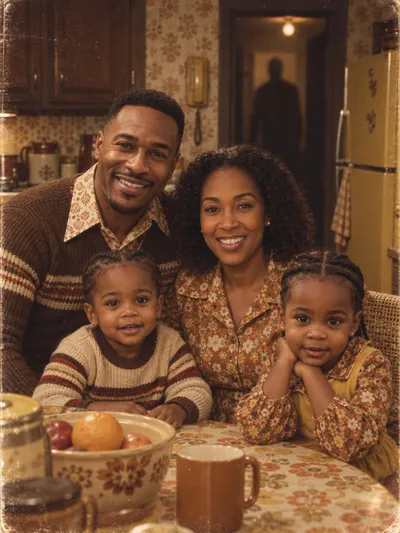
Portrait Styles for Every Occasion
No matter where family is located, these styles bring everyone together



Long-Distance FAQ
Can I create a family portrait if family members are in different countries?▼
Do the photos need to be taken at the same time?▼
How do I get good photos from family members far away?▼
Can I include someone who passed away in the portrait?▼
What if one family member's photo is much lower quality?▼
How many family members can be in one portrait?▼
Related Pages
Bring Your Family Together
No matter how far apart everyone lives, you can have a beautiful family portrait. Upload separate selfies, choose a style, and see your family unified.
Create Your Portrait →