 Family Photo Maker
Photo Technology
Merge Family Photos with AI
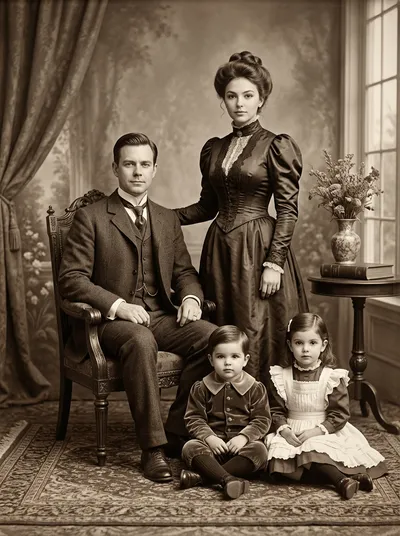
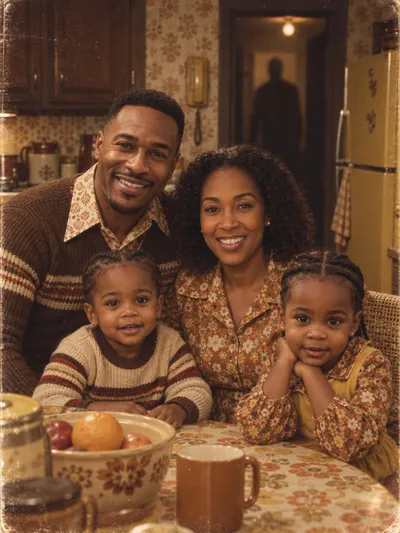
Combine separate photos of family members into one unified portrait using AI technology. Unlike basic photo editing that cuts and pastes, AI merging analyzes each person and generates a new image where everyone appears together naturally—with consistent lighting, scale, and professional composition.
Browse Portrait Styles




How It Works
Upload individual photos of each family member you want to merge
The AI analyzes facial features, lighting, and composition from each photo
Select a style that defines the final portrait setting and aesthetic
AI generates a completely new image with everyone positioned naturally together
Download the merged portrait in high resolution
When to Use This
- ✓Combining photos taken at different times into one portrait
- ✓Including family members who couldn't be at an event
- ✓Creating a family photo when you never got everyone in the same frame
- ✓Merging old photos with new to include all generations
- ✓Making a complete family portrait from scattered vacation snapshots
- ✓Creating gifts that show the whole family together
Frequently Asked Questions
How is AI merging different from Photoshop?
Traditional photo editing requires manual selection, cutting, and compositing by a skilled editor. AI merging analyzes each person, understands natural positioning, and generates a new unified image automatically—no editing skills required.
Will the merged photo look natural?
Yes. The AI normalizes lighting, scale, and positioning across all input photos to create a cohesive final portrait. It generates a new image rather than just cutting and pasting.
Can I merge photos from very different sources?
Yes. Photos can be from different cameras, different times of day, different years, and different locations. The AI handles the harmonization.
How many photos can I merge?
Family Photo Maker supports merging up to 14 individual photos into a single portrait.
Does the original background matter?
No. The AI replaces all backgrounds with the chosen style setting. You only need clear views of each person's face.
Related Pages
Ready to Create Your Family Portrait?
Join thousands of families who use Family Photo Maker to create stunning AI portraits. No studio visit required.
Merge Your Photos Now →